CODIUM NR+ Getting Started
Built on the Opener Initiative

The Opener Initiative develops an open-source implementation of the DECT NR+ stack. Codium Electronique is a member of its Technical Steering Group (TSG): the NR+Gate and NR+Node run the Opener stack out of the box, and their board support is maintained alongside the Opener samples.
The boards
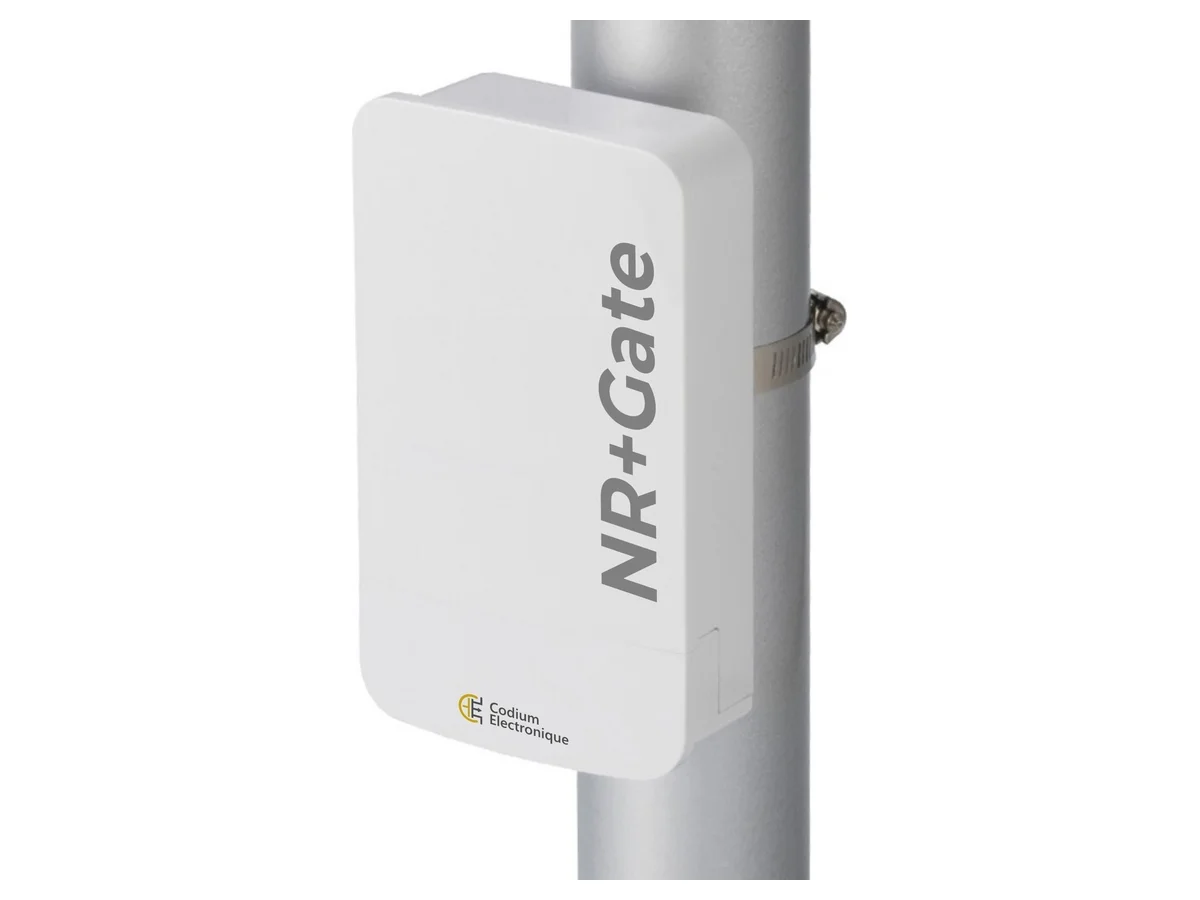
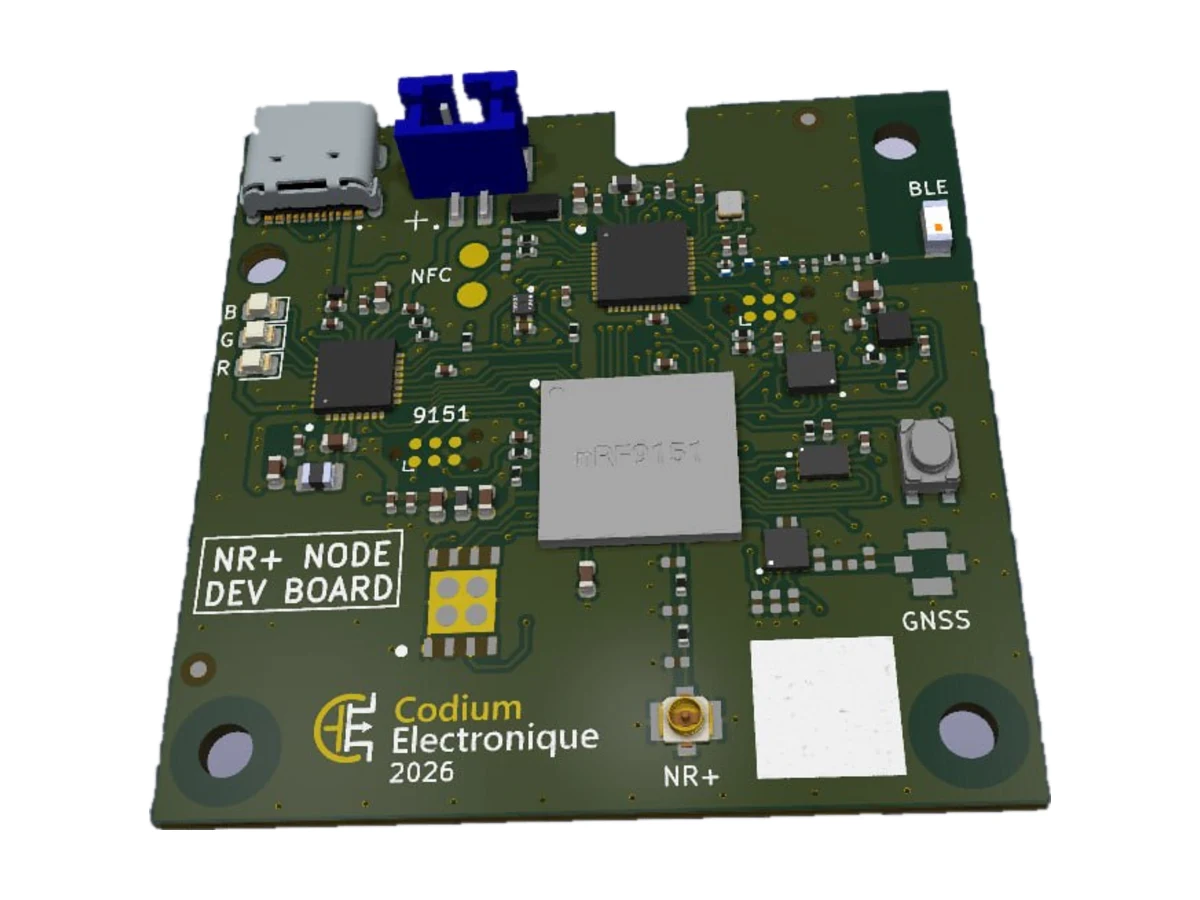
| NR+Gate — FT sink gateway | NR+Node — wireless sensor node | |
|---|---|---|
| Host | Rockchip RK3566 (4× Cortex-A55), 2 GB RAM, Ubuntu-based Linux | nRF9151 Cortex-M33, Zephyr RTOS |
| NR+ radio | Nordic nRF9151, SMA antenna connector | Nordic nRF9151, U.FL / IPEX antenna connector |
| Peripherals | Fibocom MA510 LTE, u-blox MAX-M10S GNSS, Wi-Fi 5 + BT 5.0, 10/100 Ethernet | nRF54L15 (BLE 5.4 / NFC), SHT40, LSM6DSL, LIS2MDL, nPM1300 PMIC, 2 MB flash |
| Power | PoE IEEE 802.3at (injector supplied) | USB-C charging, Li-ion battery (JST PH) |
| Zephyr targets | cod_nrp_gw/nrf9151/ns | cod_nrp_node/nrf9151/nscod_nrp_node/nrf54l15/cpuapp |
| Programming | J-Link on the Tag-Connect port for the first flash, then OpenOCD on the RK3566 over GPIO-SWD — remote, no probe needed | SEGGER J-Link on the SWD port |
| nRF9151 logs | RTT relayed on port 9090, UART on /dev/ttyS7 | RTT through the J-Link |
Flash the Opener sample
The dectnrp-driver sample of the opener-samples repository drives the DECT NR+ PHY directly: two boards running the same firmware synchronise and exchange a ping-pong every 3 s. Board definitions come from the Codium SDK module (codz-sdk), pulled in by west.
Set up the workspace
Prerequisites: the Zephyr dependencies and the SEGGER J-Link Software Pack. The manifest pins nRF Connect SDK v3.4.0.
git clone https://github.com/Opener-Initiative/opener-samples && cd opener-samples
python3 -m venv .venv && source .venv/bin/activate && pip install west
west init -l samples && west update && west zephyr-export
west packages pip --install -- -c constraints.txt
west sdk install
west config build.dir-fmt "{source_dir}/../../build/{board}/{app}"
west config build.sysbuild true
Build
Both boards build the same sample; only the board target changes.
APP=samples/dectnrp-driver
OPTS="-DEXTRA_DTC_OVERLAY_FILE=boards/nrf9151dk_nrf9151_ns.overlay \
      -DEXTRA_CONF_FILE=boards/nrf9151dk_nrf9151_ns.conf"
west build -p -b cod_nrp_gw/nrf9151/ns   $APP -- $OPTS   # NR+Gate
west build -p -b cod_nrp_node/nrf9151/ns $APP -- $OPTS   # NR+Node
First flash (J-Link)
Each nRF9151 first needs the DECT NR+ PHY modem firmware (mfw-nr+-phy_nrf91x1_2.0.0), then the application. Connect a J-Link to the board's SWD port — on the NR+Gate, its Tag-Connect connector.
nrfutil device recover
nrfutil device program --firmware mfw-nr+-phy_nrf91x1_2.0.0.zip
west flash -d build/cod_nrp_node/nrf9151/ns/dectnrp-driver   # or build/cod_nrp_gw/...
The DECT NR+ modem firmware is distributed by Nordic Semiconductor: request it from your Nordic sales representative.
Reflash the NR+Gate over the network
Once the modem firmware is in place, the gateway's nRF9151 can be reprogrammed through the on-board OpenOCD server (see Remote programming and debugging of the nRF9151), with any GDB client — no probe needed:
arm-zephyr-eabi-gdb build/cod_nrp_gw/nrf9151/ns/dectnrp-driver/zephyr/zephyr.elf \
  -ex "target extended-remote <IP>:3333" -ex "monitor reset halt" \
  -ex "load build/cod_nrp_gw/nrf9151/ns/dectnrp-driver/zephyr/tfm_merged.hex" \
  -ex "monitor reset run" -ex "detach" -ex "quit"
Each board reports SYNCHRONIZED in its RTT log once it hears its peer, then prints the Hello World! payload it received.
Gateway Linux host
Log in over SSH
The gateway takes its address over DHCP on Ethernet, and also runs its own Wi-Fi access point. Its name embeds the serial number printed on the unit.
| Item | Value |
|---|---|
| Hostname | nrp-gw-<SERIAL> |
| Wi-Fi AP | SSID nrp-gw-<SERIAL>, passphrase NRP-GW-<SERIAL>, gateway at 192.168.22.1 |
| Login | user codium, password codium (also in sudo and gpio groups) |
| SSH | ssh codium@192.168.22.1 over the Wi-Fi AP, or ssh codium@<IP> with the Ethernet DHCP address |
| Serial console | ttyS2, 1 500 000 baud |
Change the default password (passwd) before connecting the gateway to a shared network.
Read GNSS data
The u-blox MAX-M10S streams NMEA sentences on /dev/ttyS9 at 9600 baud:
minicom -b 9600 -D /dev/ttyS9 # $GNRMC, $GNGGA, ... (exit: Ctrl-A X)Start the LTE modem
The Fibocom MA510 is not powered at boot: pulse its power-on line, then let ModemManager bring the bearer up (replace <operator_apn> with your operator's APN).
sudo gpioset -c gpiochip3 -t 1s,0 29=1       # power-on pulse, wait ~15 s for enumeration
mmcli -L                                     # modem should be listed as /Modem/0
sudo mmcli -m 0 --simple-connect="apn=<operator_apn>"
sudo mmcli -b 0                              # bearer status, IP address
ping -c 3 codium.fr
The modem's AT port is /dev/ttyUSB1 (115200 baud). For a persistent connection, create a NetworkManager profile instead: sudo nmcli con add type gsm ifname ttyUSB1 con-name LTE gsm.apn <operator_apn>.
Remote programming and debugging of the nRF9151
The OpenOCD configuration cod-nrp-gw.cfg (in /usr/share/openocd/site/) drives the nRF9151 SWD and reset lines through linuxgpiod. Start the server on the gateway, bound to its network address; the optional RTT config relays the nRF9151 logs:
openocd -f cod-nrp-gw.cfg -c "bindto <IP>" -f cod-nrp-gw-rtt.cfg| Port | Service | Use from your host |
|---|---|---|
| 3333 | GDB server | arm-zephyr-eabi-gdb zephyr.elf -ex "target extended-remote <IP>:3333" |
| 4444 | Telnet | telnet <IP> 4444, then reset halt, program <file>.hex verify reset |
| 9090 | RTT relay | nc <IP> 9090 — live Zephyr log |
| — | UART log | on the gateway: minicom -b 115200 -D /dev/ttyS7 |
In VS Code, use cortex-debug with "servertype": "external", "gdbTarget": "<IP>:3333" (example in the Codium SDK README).